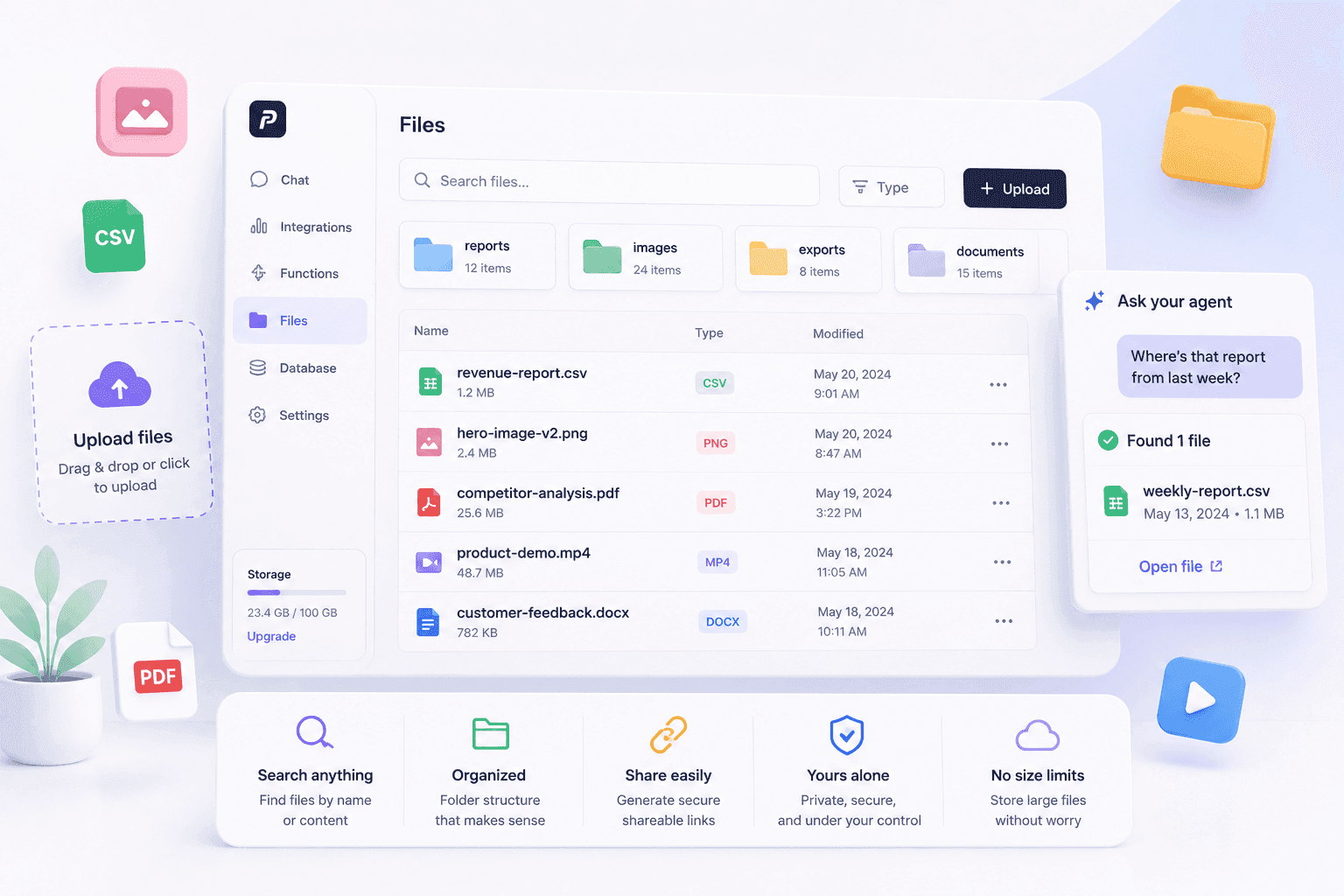
Where Does Your Agent Put Things?
Uploads, exports, generated media — all organized. All searchable. All yours.
Uploads, exports, generated media — all organized. All searchable. All yours.
Your agent generates an image. Downloads a report. Exports a CSV. Creates a PDF.
Where does it go?
If you're like most people, it goes into a folder called "Downloads." Then another folder called "Downloads (2)." Then you spend 20 minutes looking for that one file you need.
Your agent shouldn't work like that. And now it doesn't.
The Problem
Files are messy. They live in different places. Your Google Drive. Your desktop. A random Slack thread. An email attachment from three weeks ago.
When your agent generates something — an image, a report, a video — where does it end up? If it emails it to you, it's buried in your inbox. If it saves it locally, it's in a folder you'll never find again.
You need one place. One system. One way to find anything your agent has ever created or handled.
The Solution
Penut has built-in file storage. Every file your agent creates, uploads, or downloads lives in your project's storage. Organized by path. Searchable by content. Accessible from anywhere.
Your agent generates a hero image? It's in storage. You export a CSV? It's in storage. You upload a PDF? It's in storage. You ask your agent "where's that report from last week?" It finds it. Instantly.
No folder hunting. No "I think I emailed it to you." No "let me check my Downloads."
What You Get
One place for everything. Images, videos, PDFs, CSVs, exports — all in your project's storage. No more scattered across five different tools.
Searchable content. Upload a PDF. Your agent can read it, search it, and answer questions about it. Not just the filename — the actual content inside.
Organized by path. Files live in a folder structure you control. reports/weekly/, images/hero/, exports/customers/. Your agent follows your system.
Shareable links. Need to send a file to someone? Your agent generates a signed link. No uploading to Dropbox. No "I'll just attach it to an email."
No size anxiety. Large files don't clog your API. They're stored directly. Signed URLs are temporary and per-file. Your agent handles the plumbing. You just ask for the file.
Real-World Example
You upload a 50-page competitor analysis PDF. Your agent stores it, parses it, and indexes the content.
Two weeks later, you ask: "What did that PDF say about their pricing model?" Your agent searches the document and gives you the exact answer. No re-reading. No scrolling. No "I think it was on page 34 somewhere."
Later, you need the file for a meeting. Your agent generates a shareable link. You paste it into your notes. Done.
Total search time: 3 seconds. Total "where did I put that" time: zero.
What This Means for You
Stop losing files. Everything your agent touches lives in one place. You can always find it.
Search, don't scroll. Your agent can search the content inside your files. Not just filenames. Actual text. That 50-page PDF? Searchable in seconds.
Share without the hassle. Need to send a file? Your agent creates a link. No uploading to a third-party tool. No "can you check your email?"
Your agent stays organized. It follows your folder structure. It names files consistently. It doesn't create "report_final_FINAL_v3.pdf."
Next Step
Upload a file to your project. Ask your agent to search it. Generate a shareable link. See how it feels to never lose a file again.
Ready to stop hunting for files? [Sign up for Penut](https://penut.ai) and give your agent a filing cabinet today.
Next up: Keys to the House, Not the Car — how Penut's permission system keeps your agent in check.